How to Optimize Your Google Business Profile and Appear on Google Maps in Naples
Table of Contents
- What is a Google Business Profile?
- Claiming and verifying your profile
- Select the correct business category
- Complete the essential business information
- Write a useful business description
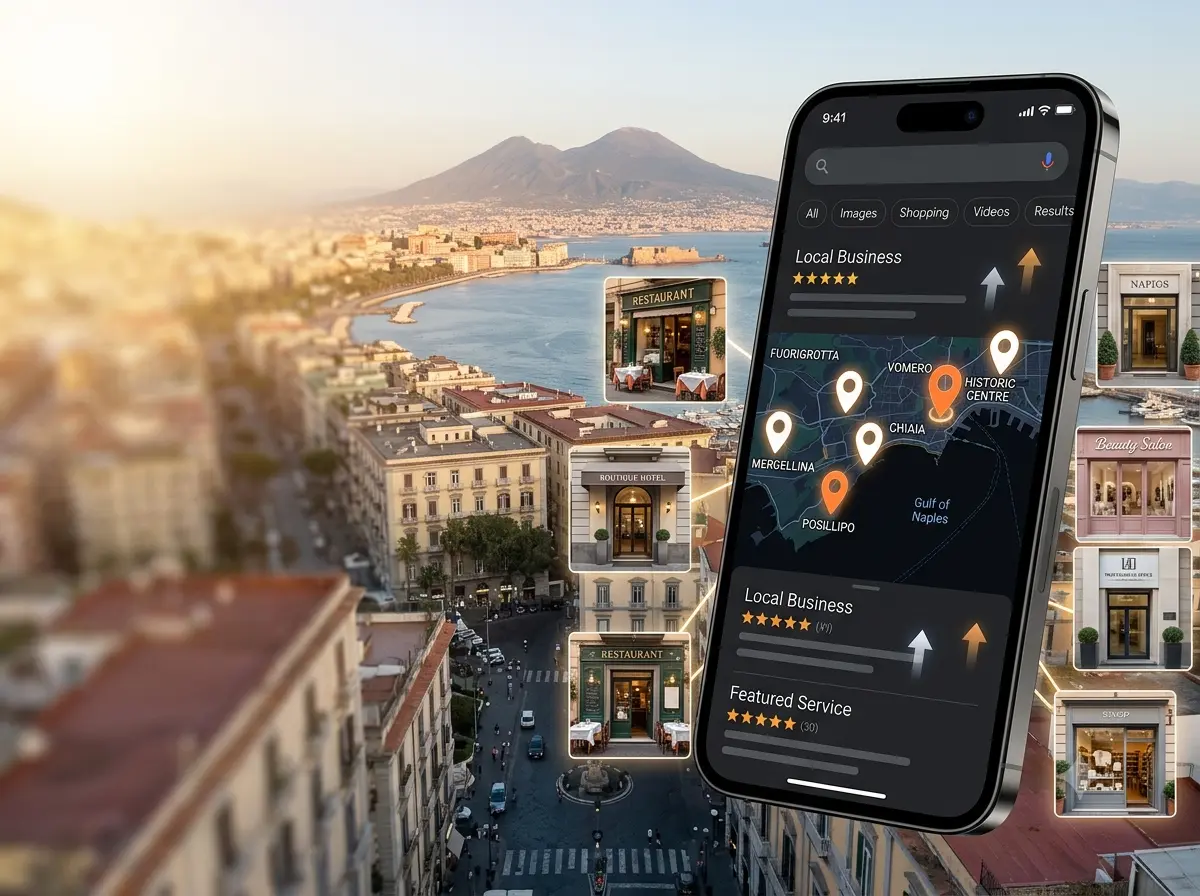
A visitor staying near Piazza Garibaldi searches for a nearby restaurant on Google Maps. Several options appear. One profile shows recent photographs, a menu, accurate opening hours, strong reviews and a reservation link. Another has two old images, no menu and hours that may or may not be correct.
The visitor may never discover that the second restaurant serves better food.
A similar decision happens when a resident searches for a dentist in Chiaia, a beauty salon in Vomero or an emergency plumber who serves the wider Naples area. Customers often make an initial judgement before opening the business’s website. They look at the information presented directly in Google Search and Google Maps and choose the option that appears relevant, credible and convenient.
A well-managed Google Business Profile in Naples cannot guarantee a top Maps position. It can, however, help Google understand the business and give potential customers the information they need to call, visit, book or request a quotation.
What is a Google Business Profile?
Google Business Profile is the system eligible businesses use to manage information that may appear about them across Google Search and Google Maps.
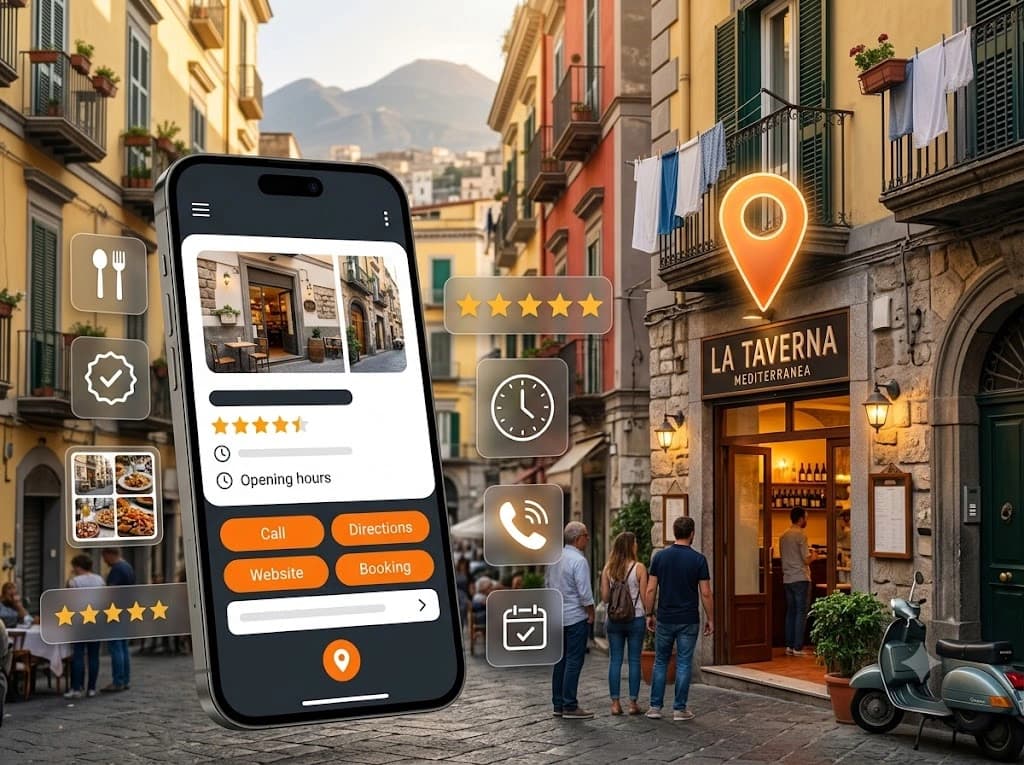
Depending on the type of business and the features available to it, a profile may show:
- The business name and category
- Its address or service area
- Telephone number and website
- Regular and special opening hours
- Photographs and videos
- Services, products, menus or amenities
- Customer reviews
- Reservation, booking, ordering or appointment links
- Updates and offers
- Directions and other contact options
Google describes Business Profile as a way for storefront and service-area businesses to manage how they appear on Search and Maps. It allows them to provide information such as their location, hours, website, telephone number, photographs and services.
For a customer, the profile is often a decision page. A hotel guest may check whether reception is open late. A diner may inspect the menu. A homeowner may look for a telephone number before an urgent repair. A patient may want to know whether a clinic has wheelchair-accessible facilities.
Completeness matters because missing information creates hesitation. Accuracy matters even more.
Claiming and verifying your profile
Before managing a profile, the business must first be added or claimed and then verified.
Search for the exact business name on Google Search or Maps. If an existing profile appears, look for the option to claim or manage it. Avoid creating a new listing immediately, because an unmanaged profile may already exist and creating another one can result in duplicates.
Google determines which verification methods are available. These may include video recording, telephone or text, email, live video call or postal verification, but not every method is offered to every business. Google states that the available options depend on factors such as the business type, public information, region and operating hours. It may also require more than one verification method.
This means a Naples B&B may receive different verification options from a mobile electrician or a retail shop. The business cannot simply choose any verification method it prefers.
During verification, be prepared to demonstrate that the business exists and that you are authorised to manage it. For video verification, Google may ask for evidence connecting the location, equipment, branding or management access to the business.
Do not change important profile information repeatedly while verification is in progress unless a correction is genuinely necessary. Major edits can sometimes lead to further review.
Select the correct business category
The primary category is one of the most influential profile decisions because it tells Google what the business fundamentally is.
Google advises businesses to select categories that describe the business itself rather than using categories as keywords or as a list of every feature it provides.
A restaurant serving Neapolitan food should choose the closest accurate restaurant category available. A beauty business that mainly operates as a hair salon should not select unrelated wellness or medical categories merely to appear for more searches.
The primary category should represent the main activity that generates the business’s customer relationships.
Secondary categories can describe other significant activities, provided that they are genuinely offered.
Examples might include:
- A hotel near Mergellina using an accurate hotel category and relevant accommodation-related secondary categories.
- A dental practice in Chiaia choosing a dentist-related primary category rather than a broad medical category.
- A restaurant in the Historic Centre adding an appropriate restaurant category and only those additional categories that reflect its actual format.
- A salon in Vomero using “Hair salon” as its primary category and adding a relevant beauty category only if that service is genuinely available.
- A plumber serving metropolitan Naples choosing a plumbing category rather than adding categories for every individual repair task.
Categories can also affect which profile features are offered. Google notes that restaurants may receive menu, ordering and reservation options, while some health and beauty businesses can display services and booking features. Hotels may have accommodation-specific fields and amenities.
Adding irrelevant categories rarely improves the profile. It can make the listing less accurate and less useful.
Complete the essential business information
Profile optimisation begins with factual details, not promotional text.
Use the official business name
Enter the real-world name used on signage, invoices, branding and customer communications.
Do not turn the name into a collection of search terms. A legitimate name such as “Rossi Dental Studio” should not become “Rossi Dental Studio – Best English Dentist Naples Chiaia.”
Google’s representation guidelines state that a business should use the name by which it is consistently known in the real world. Additional information such as location, category and services belongs in the appropriate profile fields.
Enter the correct address or service area
A customer-facing business should use the genuine location where it operates and receives customers during its stated hours.
A service-area business that travels to customers may define the areas it serves and hide its address when appropriate. Google allows eligible businesses to enter a service area when they serve customers within a local region.
Do not create false offices in Posillipo, Fuorigrotta or surrounding municipalities simply to target those places. Distance remains part of local search, and an invented location can create policy and verification problems.
Add the main telephone number and website
Use a number answered by the business or its authorised reception team. If calls are frequently missed, improve the call-handling process rather than listing several confusing numbers.
The website link should lead to the business’s own website or the most suitable official page. Avoid sending visitors to a generic social profile when a proper website is available.
Keep opening hours accurate
Enter the times during which customers can visit or receive the stated service.
Add special hours for holidays, seasonal changes, local closures and temporary schedule changes. This is especially important for restaurants, attractions, clinics and tourism businesses, where customers may travel specifically based on the displayed information.
Google allows verified businesses to edit hours, contact details, addresses and other profile information to keep it accurate.
Add accessibility and service attributes
Available attributes depend on the category and location. They can include accessibility features and other practical details.
Google states that attributes can appear across Search and Maps and may communicate information about accessibility facilities.
Only select attributes that are accurate. Someone relying on step-free access must be able to trust the information.
Add booking, reservation and appointment links
Where the feature is available, connect the profile to the most useful action page.
A restaurant should link to its reservation page rather than the homepage. A clinic can link to appointment booking. A hotel may direct customers towards an official booking route. Google allows eligible profiles to add links for activities such as bookings, food ordering, pickup and delivery.
Test every link from a mobile phone. A button that leads to an error page is worse than no button.
Write a useful business description
The business description should help a customer understand four things:
- What the business is
- What it provides
- Where or whom it serves
- What practical characteristics distinguish it
Google advises businesses to use this field for useful information about their products, services, mission and history. Addresses, hours and categories should be entered in their dedicated fields rather than repeated unnecessarily in the description.
A simple structure is:
Business type + main offer + customer or location context + useful differentiator.
For example:
Casa Vesuvio is an independently operated B&B near Napoli Centrale, offering private guest rooms, breakfast and flexible self-check-in for leisure and business travellers. The property provides convenient access to the Historic Centre, regional rail services and airport transport connections.
This description says what the business offers and why its location may matter. It does not claim to be the “number one B&B in Naples,” and it does not repeat the same keyword several times.
Add services, products, menus or room information
The available fields vary by category, so profile owners should work with the options Google provides rather than trying to make every profile look identical.
A trades business can add individual services with concise descriptions and, where useful, pricing information. Google says listed services may be highlighted when local customers search for something the business offers.
A beauty salon could list:
- Haircut and styling
- Colour consultation
- Bridal hair
- Blow-dry appointments
- Hair treatments
A professional office might include tax advice, company formation support or property-related legal services.
Restaurants can add menu information and menu items when the feature is available. Google’s menu editor is intended for food and drink businesses, and restaurant menu photographs may also appear in the profile.
Hotels and accommodation providers may have specialised fields for amenities, room information and booking options. Complete whichever fields genuinely apply, but do not use service descriptions as another place to repeat location keywords.
Use authentic photos and videos
For many businesses, photographs influence the customer more directly than the written description.
Google allows businesses to add images and videos of their storefront, products and services. It specifically notes that exterior photographs can help customers recognise the business when they arrive.
Prioritise images that answer practical questions.
Exterior photographs
Show the entrance, signage and views from the directions customers are likely to approach. This is particularly useful in dense streets, courtyards or buildings with several businesses.
Interior photographs
Show the actual atmosphere and layout. A restaurant might include dining areas and the bar. A clinic could show reception and treatment rooms without revealing patient information.
Staff photographs
Introduce the people customers are likely to meet. For professional and personal services, recognisable staff can reduce uncertainty.
Food, rooms and products
Restaurants should show representative dishes rather than only decorative close-ups. Accommodation providers should include accurate images of room types, bathrooms and common spaces. Retailers should show current product ranges.
Completed work
Trades and creative businesses can present genuine completed projects, with customer permission where necessary.
Google’s business-specific photo guidance recommends showing products, food, teams and customer-facing areas in ways that help people understand the business.
Use clear, well-lit images, but keep them truthful. Over-editing a hotel room to make it appear much larger, replacing an actual view or presenting stock photographs as real work may create disappointment and damaging reviews.
Consistency is also useful. Add fresh photographs when the premises, menu, rooms, staff or products change. Old images should not be the only visual evidence of an active business.
Build a genuine review process
Reviews contribute to customer trust, and Google confirms that review count and review scores can be considered as part of local prominence. They are not the only factor, and the profile with the most reviews is not automatically placed first.
Ask for reviews after a real customer experience, when the customer has enough information to provide meaningful feedback.
Appropriate moments include:
- After checkout from a B&B
- Following a completed salon appointment
- After a restaurant reservation
- When a repair has been completed
- After a professional project or consultation
- Once a complaint has been genuinely resolved
Google provides a direct review link that businesses can copy and share with customers. The link can be included in a thank-you email, receipt, follow-up message or QR code.
Keep the request neutral. Ask for an honest review, not a five-star review.
Google prohibits reviews that are paid for, influenced by discounts or benefits, created without a genuine experience or used to manipulate a business’s rating.
Purchased reviews may look attractive briefly, but they create policy, reputation and consumer-trust risks. Google may remove suspicious review content, and restrictions or consumer alerts may be applied in cases involving suspicious activity or policy violations.
Example response to a positive review
Thank you for your kind feedback, Marco. We are pleased that you enjoyed the tasting menu and that our team made the evening comfortable. We hope to welcome you again on your next visit to the Historic Centre.
Example response to a negative review
Thank you for sharing your experience. We are sorry that the waiting time was longer than expected on the evening of your visit. This is not the level of service we aim to provide. We are reviewing the booking and kitchen schedule with our team, and we would appreciate the opportunity to discuss the matter directly. Please contact us through the email address listed on our website.
The second response acknowledges the issue without arguing publicly or revealing private details. Where a review violates Google’s policies, it can be reported, but disagreement with a customer’s opinion alone is not usually grounds for removal.
Publish useful updates and current information
Google Business Profile posts can be used to publish announcements, offers, updates and event information on Search and Maps.
A restaurant might announce a seasonal menu. A B&B could explain altered check-in arrangements during a local event. A salon may share temporary holiday hours. A tourism company might publish the dates of a new guided experience.
Use posts when there is something worth communicating. Do not publish repetitive keyword-heavy updates merely to maintain an arbitrary schedule.
Google does not state that frequent posting automatically increases local ranking. Treat posts primarily as customer-information and conversion features.
Profiles can also be updated from information supplied by users and other sources, so owners should review suggested changes regularly.
Monitor questions and answers
Customers may ask public questions about parking, accessibility, late arrival, dietary options, languages spoken or service coverage.
Google confirms that owners and managers can answer questions in the profile’s question-and-answer section.
Monitor this section and respond to genuine questions promptly. Keep answers factual and avoid using the area as an advertising space.
Because other users may contribute answers, check that publicly visible information remains accurate. Correct misunderstandings politely rather than attacking the contributor.
Understand Google Maps visibility
Google states that local results are mainly based on relevance, distance and prominence, sometimes described in its interfaces as popularity. Businesses cannot pay or request Google for a better organic local ranking.
Relevance
Relevance is how closely the business matches the customer’s search.
Accurate categories, services, descriptions, website content and profile details can help Google understand the business. A salon that clearly presents hair colouring services is more relevant to that search than a profile that merely says “beauty services.”
Distance
Distance concerns how far the potential result is from the location used in the search. If no location is included, Google may estimate where the searcher is.
A restaurant in the Historic Centre may therefore appear differently to someone searching nearby and someone searching from western Naples. You cannot fully control distance through optimisation.
Prominence
Prominence concerns how well established or well known the business appears. Google refers to information found across the web, including links, articles, directories and reviews. The business’s position in normal web results can also contribute, which is why broader SEO work remains relevant.
These factors work together. Completing every field does not guarantee inclusion in the local three-pack, the group of businesses often displayed prominently for a local search.
Connect the profile to a useful website
A Business Profile should not have to carry the entire customer journey.
The website provides space for detailed services, room information, menus, prices, policies, case examples, frequently asked questions and conversion forms. It also supports Google’s wider understanding of the organisation.
The linked page should:
- Load quickly on mobile devices
- Match the business name, contact details and core services
- Make calling, booking or enquiring easy
- Explain the actual service area
- Contain useful local information where relevant
- Use clear page titles and headings
- Avoid intrusive pop-ups that block the main action
Google uses the mobile version of a website’s content for indexing and ranking, a system known as mobile-first indexing. Google strongly recommends that sites work properly on mobile devices.
Eligible websites can also use LocalBusiness structured data to communicate information such as business type and opening hours in a machine-readable format. Structured data can help Google understand a page, but it does not guarantee improved rankings or a particular search feature.
Measure commercial performance
Verified profiles have access to performance information showing how people discover and interact with the business on Search and Maps. Available metrics can include views, calls, website clicks, direction requests and booking-related interactions, depending on the profile and enabled features.
Google also supports connecting Business Profile information to Google Analytics. Depending on availability, shared interaction data may include website clicks, calls, directions, messages, bookings and menu clicks.
Useful indicators include:
- Calls initiated from the profile
- Website visits
- Direction requests
- Reservation or booking actions
- Messages, where the feature is available
- Enquiry-form completions
- Confirmed appointments
- Completed reservations
- Leads that match the business’s target customer
Do not treat every direction request as a completed visit or every telephone click as a qualified lead. Profile data records interactions, not the full commercial outcome.
Use website analytics, booking-system data, call records and customer relationship information to build a more complete picture. Asking new customers how they found the business can also reveal gaps in automated tracking.
Naples-specific optimisation examples
Restaurant in the Historic Centre
Choose the most accurate restaurant category, add a current menu, maintain holiday hours and include exterior photographs that help visitors recognise the entrance. Link directly to reservations and answer questions about dietary options, outdoor seating and accessibility.
B&B near Napoli Centrale
Use an accurate accommodation category, show each room type honestly and explain check-in arrangements clearly. Include information about breakfast, luggage storage and transport connections where supported by the available fields. The website should provide detailed arrival instructions in clear English and Italian.
Beauty salon in Vomero
List the main treatments as services, add genuine photographs of the salon and team, and connect an appointment link where available. Request reviews after completed appointments without offering incentives.
Professional service in Chiaia
Use a precise category, explain specialist areas clearly and make telephone and consultation links easy to find. The profile and website should state which languages are available if that information is accurate and commercially relevant.
Service-area business across metropolitan Naples
Hide the address if customers are not served there, define a realistic service area and list the most important services. Avoid creating separate profiles for every municipality unless each location is a genuine, eligible and separately operated customer-facing business.
Common Google Business Profile mistakes
The following problems can reduce trust, create confusion or expose a profile to policy issues:
- Adding search keywords or neighbourhood names to the official business name.
- Choosing broad or inaccurate categories.
- Creating a second profile when an existing listing should have been claimed.
- Leaving normal, holiday or seasonal hours incorrect.
- Using photographs that no longer represent the premises or offer.
- Ignoring both positive and negative customer reviews.
- Buying reviews or offering rewards for favourable ratings.
- Showing different telephone numbers or addresses across major platforms.
- Using one profile to represent several unrelated businesses.
- Leaving important fields blank even when reliable information is available.
- Linking to a slow, confusing or non-mobile-friendly website.
- Publishing promotional posts that do not help customers.
- Defining service areas the business cannot realistically cover.
- Failing to monitor user-suggested profile changes.
- Expecting long-term visibility without regular maintenance.
- Assuming that profile completeness guarantees a top-three Maps position.
Profile optimisation should begin with identity, eligibility and accuracy. Content, photographs, reviews and links come next.
Featured-snippet answer
How can a business appear on Google Maps in Naples?
To appear on Google Maps in Naples, an eligible business should add or claim its Google Business Profile, complete the required verification, choose accurate categories and provide correct contact, location, service and opening-hour information. The profile should be maintained with genuine reviews, current photographs and useful customer information. Visibility is influenced by relevance, distance and prominence, so verification and profile completion do not guarantee a top Maps ranking.
FAQ
1. Is a Google Business Profile free?
Yes. Eligible businesses can create or claim a Google Business Profile without paying a listing fee. Paid Google advertising is a separate service.
How long does Google Business Profile verification take?
The timing varies by the verification method, business and whether further review is needed. Google automatically decides which methods are available, and some businesses may need more than one method.
Can I add keywords to my Google Business Profile name?
Only when those words are genuinely part of the business’s real-world name. Adding services or locations solely to improve rankings can violate Google’s business representation guidelines.
Do Google reviews improve Maps ranking?
Google confirms that review count and review score can contribute to local prominence. Reviews are one of several signals, and they do not guarantee a particular Maps position.
Why does my business rank differently in different parts of Naples?
Distance is one of Google’s main local-result considerations. Results can change according to the searcher’s location, wording, competition and the relevance and prominence of available businesses.
Conclusion
Appearing on Google Maps is not a matter of inserting a few keywords and waiting for a guaranteed ranking.
Google must understand what the business is, where it operates and how well it matches the search. Customers must also believe that the information is current and that the business is worth contacting.
The most productive work is often straightforward: correct the category, maintain accurate hours, improve the photographs, present services clearly, request genuine reviews and connect the profile to a website that makes the next action easy.
Visibility will still depend on the customer’s location, the search itself, local competition, reputation and the business’s wider online presence. No consultant can responsibly promise the same result for every business.
Apexon Solutions helps local businesses review and manage their profiles, strengthen their websites, improve reputation processes and turn local visibility into enquiries, bookings and customer visits.
Request a free Google Business Profile review to identify incomplete information, missed conversion opportunities and inconsistencies that may be limiting your visibility.
Contact hello@apexonsolutions.com for an alternative way to arrange the review.
---